
AI has moved from an experiment to an everyday part of how marketing teams work. Blog drafts, social captions, product photos, ad creatives and video scripts are now often produced with AI tools in minutes instead of days.
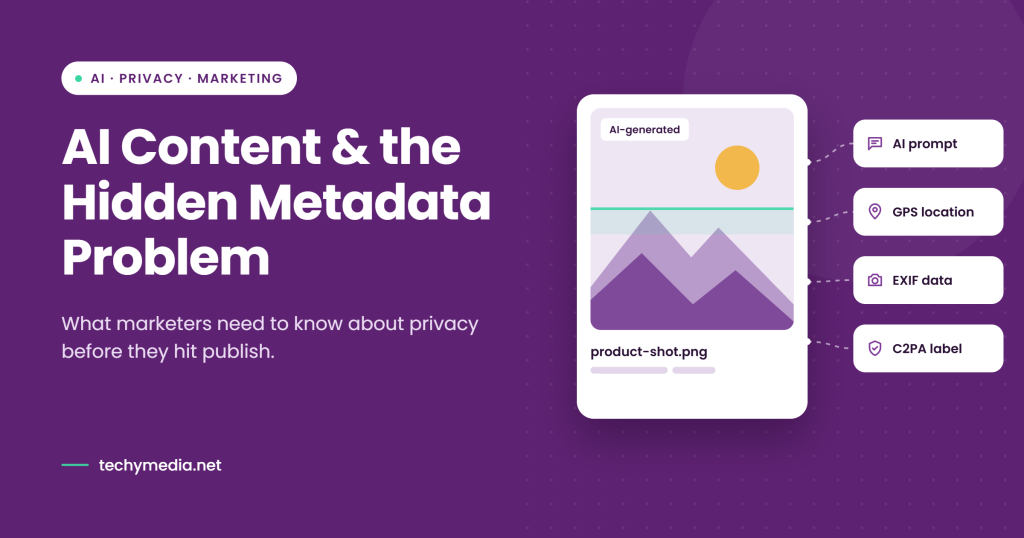
But there is a side of AI content that most marketers never see: the hidden data stored inside the files themselves. An AI-generated image can carry the exact prompt that created it, the model name, generation settings and content labels. A normal photo from a phone can carry the GPS location where it was taken.
This guide explains how AI is changing content creation and marketing, what hidden metadata your files may be sharing, and how to build a simple, responsible workflow before you publish.
How AI Tools Are Changing Content Production
AI’s biggest change to content creation is speed and scale. A small team can now produce the volume of content that once needed a full department.
- Writing: AI assistants help with outlines, first drafts, headlines, meta descriptions and repurposing one article into emails and social posts. Human editors still matter for accuracy, brand voice and expertise.
- Images and design: Image generators create blog headers, social graphics, mockups and concept art from a text prompt. Designers use them for fast ideas, then refine the best options.
- Video and audio: AI tools write scripts, generate voiceovers, add subtitles and cut long videos into short clips for Reels, Shorts and TikTok.
- Editing and enhancement: Background removal, upscaling, object removal and color correction now take one click instead of an hour in an editor.
For agencies and in-house teams, this means faster turnaround and lower production costs. It also means more files moving through more tools, and every tool can add its own hidden data to the file.
How AI Is Reshaping Online Marketing
Marketing teams use AI across the whole funnel, from the first ad a customer sees to the email that brings them back.
- Personalization: AI tailors email subject lines, product recommendations and landing page copy to different audience segments.
- Ad creatives: Teams generate dozens of ad variations (images, headlines and calls to action) and let testing show which ones convert.
- Social media: AI helps plan content calendars, write captions, suggest hashtags and create visuals for every platform size.
- Ecommerce: Online sellers and print-on-demand stores use AI to create product photos, lifestyle scenes and listing descriptions without a photo shoot.
- SEO: AI supports keyword research, content briefs, internal linking ideas and alt text for images.
The result is that AI-made images and videos are now everywhere: on websites, in ads, in marketplace listings and on social feeds. That makes what is hidden inside those files a real marketing concern.
The Privacy Side: What Your Images Reveal
Most image files carry metadata: information stored inside the file that you cannot see when you look at the picture. Anyone who downloads the file can read it with a free metadata viewer.
| Metadata type | What it can contain | Why marketers should care |
|---|---|---|
| AI generation data | The full prompt, negative prompt, seed, sampler, model name and settings | Exposes your creative process and prompts that competitors can copy |
| AI generator signatures | The name of the tool or software that made or edited the image | Shows which tools your brand or agency uses |
| C2PA Content Credentials | A signed record of how the image was created and edited, often including an AI label | Can trigger “AI info” or “Made with AI” labels on some platforms |
| EXIF camera data | Camera or phone model, lens, date and time, software | Reveals equipment, shoot dates and internal workflow |
| GPS location | The exact coordinates where a photo was taken | Can expose a home address, office or a client’s private location |
| XMP and IPTC | Author names, copyright notes, keywords, edit history | Can leak names of staff, clients or project files |
Here is a common example. A social media manager generates a product image, edits it and exports it for a client. The exported file may still contain the original prompt and the generator’s name. If a team member took a reference photo at home, that file could also carry their home’s GPS coordinates.
The fix is simple: check and clean your images before they go live. A free tool like AI Metadata Remover strips AI prompts, C2PA Content Credentials, EXIF, GPS and other hidden data from JPG, PNG and WebP images. It runs in your browser, so files are not uploaded to a server. It also shows a before-and-after report of what was removed, and you can choose which categories to keep.
One limit to know: metadata tools clean the data stored in the file. They do not remove watermarks that are built into the pixels, such as Google’s SynthID.
AI Labels, Content Credentials and Transparency
Removing metadata is about privacy and control, not hiding that you use AI. Marketers should know the difference.
Many platforms read C2PA Content Credentials and other signals to show labels such as “AI info”. Content Credentials can be useful: they prove where an image came from and help build trust. Some brands choose to keep them for that reason.
At the same time, platforms like Meta, TikTok and YouTube ask creators to disclose realistic AI-generated content, and laws such as the EU AI Act add transparency rules for some AI content. Removing metadata does not remove these responsibilities.
A practical rule for brands:
- Remove private data you never meant to share: GPS location, personal names, internal file paths, and prompts that reveal your creative process.
- Keep or disclose AI use where a platform, a law or your audience expects it. A caption note like “Image created with AI” is often enough.
- Decide per client. Agencies should agree with each client whether Content Credentials stay on their published images.
This is why a tool that lets you choose what to remove is useful. You can strip GPS and prompts while keeping Content Credentials when transparency matters.
A Pre-Publish Checklist for AI Content
Use this checklist before any AI-assisted image or post goes live on a website, ad account or marketplace.
- Fact-check the text. AI writing can include wrong facts, outdated numbers or invented sources. Have a person review it.
- Edit for brand voice. Make sure the copy sounds like your brand, not a generic AI draft.
- Check image details. Look for warped hands, broken text, odd logos or anything that could confuse customers.
- Inspect the metadata. See what prompts, GPS data, author names and labels the file contains.
- Remove what you don’t want to share. Strip GPS, prompts and personal data with a metadata cleaner.
- Decide on disclosure. Keep Content Credentials or add an AI note where platforms, laws or clients require it.
- Optimize for SEO. Compress the image, use a descriptive file name and write useful alt text.
- Keep the original. Store the unedited file with its metadata in a private folder, in case you need proof of creation later.
Conclusion
AI is making content faster and cheaper to produce, and it is now part of almost every marketing workflow. The brands that win will use AI responsibly: they check facts, protect private data and are honest about AI use where it matters.
Hidden metadata is a small detail with real consequences. Adding a quick metadata check to your publishing process protects your team, your clients and your creative work.
Frequently Asked Questions
What is image metadata?
It is information stored inside an image file, such as camera details, date, GPS location, author and, for AI images, the prompt and generation settings.
Do AI-generated images contain hidden prompts?
Many do. Some AI image tools save the prompt, seed and model settings inside the file, especially in PNG files.
Will removing metadata hide that an image was made with AI?
Not always. Some platforms use other signals, and pixel-level watermarks like SynthID stay in the image. You should still follow platform and legal disclosure rules.
Does removing metadata affect image SEO?
No. Google relies on the page content, file name, alt text and surrounding text far more than on embedded metadata. Smaller files can even load slightly faster.
Is it safe to use online metadata removers?
Choose tools that process images in your browser without uploading them, such as AiMetadataRemove.com, so your files stay on your device.